A walnut desk organiser sits beside a tangled charging cable. The product photograph is tidy, but it leaves the most useful part of the story untold: how the desk would feel when everything has a place. If I were preparing a launch for a small stationery brand, I would make that change the centre of a short video. I would begin with a quiet camera move across the organiser, rather than a busy montage of every item in the catalogue.
My starting point would be Seedance 2.5 Free on Seevio, used to explore one manageable shot. The example below is a proposed creative workflow, not a report of a campaign I have run. Its purpose is to turn a familiar business problem, a collection of static product photographs, into a visual brief that a founder can actually discuss and refine.
Give the organiser one job on screen
I would choose a single audience: someone who works at a small desk and wants less clutter around their laptop. That decision would shape the scene. A wide office with designer furniture might look impressive, but it would obscure the everyday benefit. A modest tabletop, one notebook and a short charging cable would give the organiser a believable setting.
The opening frame would show the tray from slightly above desk height. A pen would already sit in its groove, with the notebook resting behind it. I would leave empty space on the right for a short caption added during editing. The camera would travel gently from left to right, allowing the raised lip and separate compartments to become clear without asking the product to spin.
Before opening Seedance 2.5 Free, I would write the intended takeaway in ordinary language: this tray gives small objects a predictable home. That is specific enough to guide the shot. It also prevents me from drifting into a dramatic reveal that looks attractive but says little about what the customer is buying.
Choose references that describe the real product
My main reference would be an accurate photograph taken at the same angle as the desired opening. A second image could show the grain and finish more closely. I would remove unrelated props from these references so that the model has fewer competing details to interpret. The goal would be recognisable product geometry, not a loosely inspired wooden accessory.
I would also check the actual tray before writing the prompt. Does the pen groove run the full length? Are the corners rounded or square? Is the finish matte? Those details belong in the brief because a convincing substitute can still be the wrong product. If the source photograph hides a compartment, I would take another photograph rather than expect the generator to infer its dimensions.
For this first experiment, a few useful references would be enough. I would avoid filling the available reference allowance simply because it exists. One photo should establish the object, and another should clarify a feature the camera will reveal. Each file needs a reason to be there.
Make a five-second test do useful work
The current Seevio page describes a check-in reward for one five-second, 480p Seedance 2.5 video on every third cumulative check-in. The reward expires after collection, so I would prepare the brief before claiming it and check the live terms. Longer output, higher resolutions and editing use credits. I would treat the free clip as a composition experiment, rather than promise myself a finished launch advert at no cost.
For that experiment, I would open Seedance 2.5 Free and keep the brief narrow: a walnut desk organiser on a warm grey tabletop, soft morning light from the left, a slow lateral camera move, and a steady final view. I would ask for the tray, pen and notebook to remain fixed. No hands would enter the frame, and no extra objects would appear.
That restraint matters because five seconds can easily become overloaded. Asking for a messy desk to clean itself, a drawer to open and a logo to assemble would introduce several unrelated problems. A single movement lets me judge whether the edge of the tray and the wooden surface remain convincing throughout the shot.
Revise the movement before decorating the scene
Suppose my first Seedance 2.5 Free version makes the front wall of the tray appear to bend as the camera moves. I would not cover that moment with a caption and call the work finished. My revision would reduce the sideways travel and keep the camera closer to the reference angle. I would also remove any wording that invites an orbit around the product.
If the shape stays stable but the scene feels flat, my next change would concern light. A soft highlight along the lip could separate the organiser from the tabletop. I would keep the background plain and avoid a spotlight sweeping across the entire frame, which could distract from the product's compartments. These are two different revisions, and I would test them separately.
Seedance 2.5 Free would help define the starting direction, but another attempt still depends on an available reward or credits. I would save the prompt beside the resulting clip and note exactly what changed. A note such as “shorter camera travel preserves the front edge” is more useful for the next version than “make it more premium”.
Build the launch sequence around honest detail
Once the Seedance 2.5 Free reveal has a workable composition, I would assemble a simple sequence in a video editor. A real photograph of the untidy desk could establish the problem. The generated organiser shot would introduce the visual solution. A final genuine product image would show the exact finish and dimensions, with the shop address added as normal text.
I would not use the generated scene to demonstrate a feature that has never been verified. If the product is meant to hold a phone upright, that deserves real footage showing its support and angle. The AI shot can provide atmosphere and a clear view of the design while factual demonstrations remain grounded in the physical object.
For a separate rough concept, I could consult the Seedance 2.0 Free page and check which model its current reward covers. I would label those tests separately, keeping the same reference photo and camera brief where the chosen settings allow. The useful comparison would be whether the compartment edges remain readable, not whether one clip happens to look more dramatic.
Finish with the frame the customer needs
Before exporting, I would watch the sequence at the size of a phone screen. The organiser needs to remain visible beneath the caption, and the last frame needs enough time for the viewer to understand where the pen and cable belong. I would trim any opening pause that makes the product feel incidental.
My final use of Seedance 2.5 Free in this project would be as a starting point for a repeatable visual direction. The founder would have a concrete shot, a short prompt and a specific revision to discuss. That is a practical foundation for the launch: one recognisable product, one clear benefit and a sequence that earns its place beside the product photographs.
Related Categories
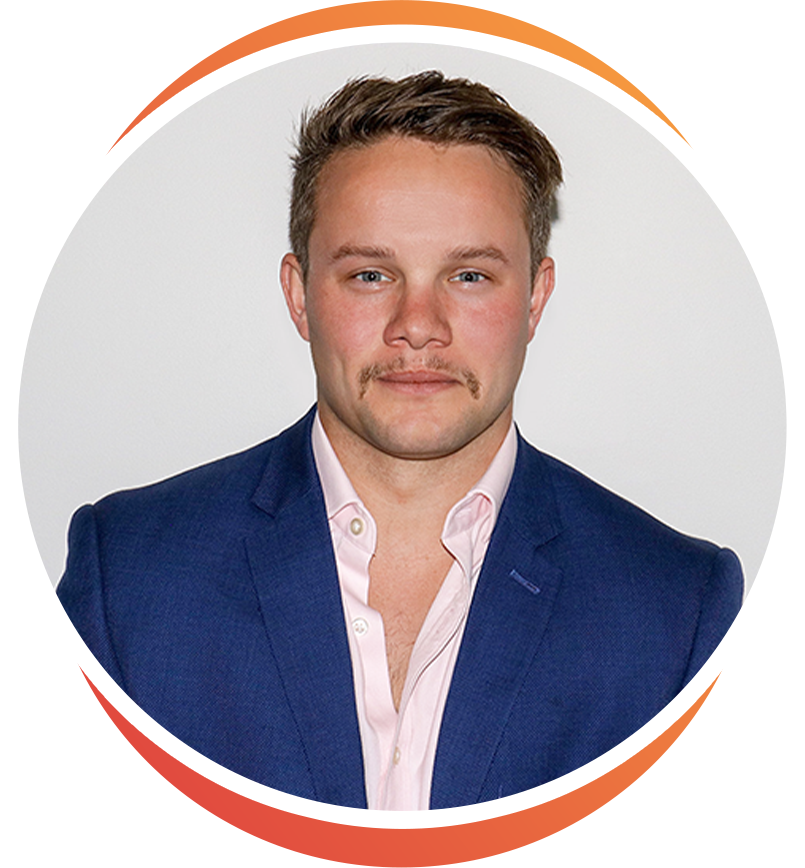
Ryan Terrey
As Director of Marketing at The Entourage, Ryan Terrey is primarily focused on driving growth for companies through lead generation strategies. With a strong background in SEO/SEM, PPC and CRO from working in Sympli and InfoTrack, Ryan not only helps The Entourage brand grow and reach our target audience through campaigns that are creative, insightful and analytically driven, but also that of our 6, 7 and 8 figure members' audiences too.